Quarto 📖

MATH/COSC 3570 Introduction to Data Science

Dr. Cheng-Han Yu
Department of Mathematical and Statistical Sciences
Marquette University

Hello Quarto

Sharing Data Science Products using Quarto
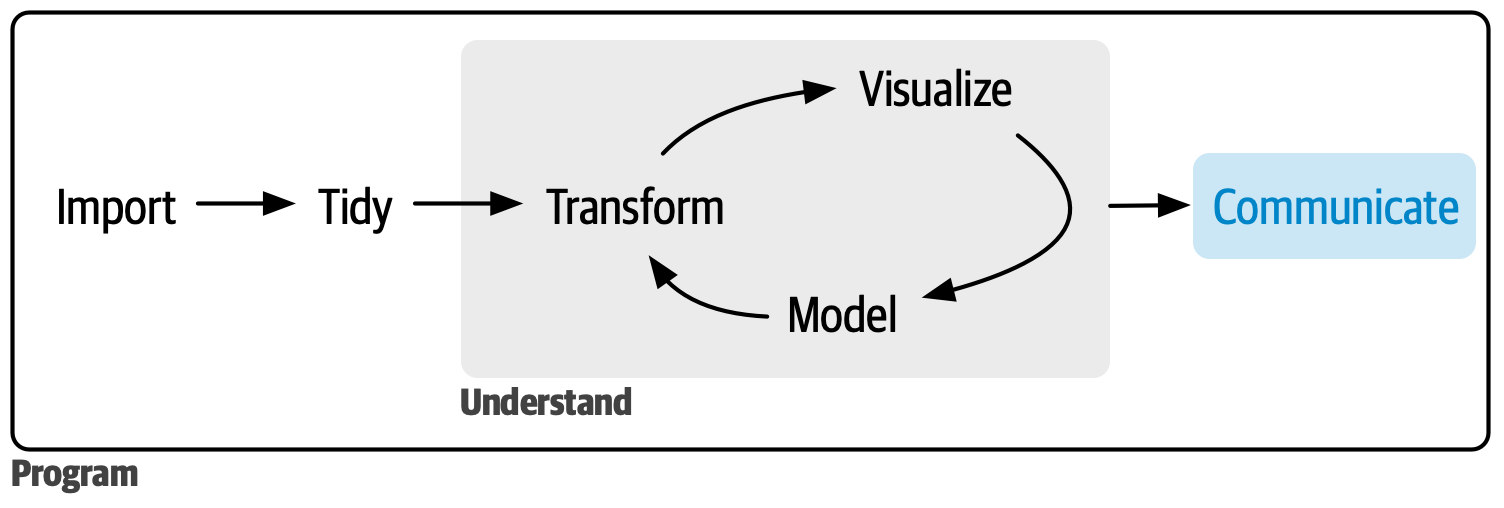
What and Why – Full Reproducibility

  • [What] data science publishing system
  • Use a single Quarto file (.qmd) to
    • weave together narrative text and code
    • produce elegantly formatted outputs: word/pdf, webpages, blogs, books, etc.
  • [Why] Fully reproducible reports
    • Have code, results, and text in the same document
    • Results are generated from the source code, and your documents are automatically updated if your data or code changed.

Why Quarto – Various Types of Output

  • Support dozens of static and dynamic/interactive output formats!
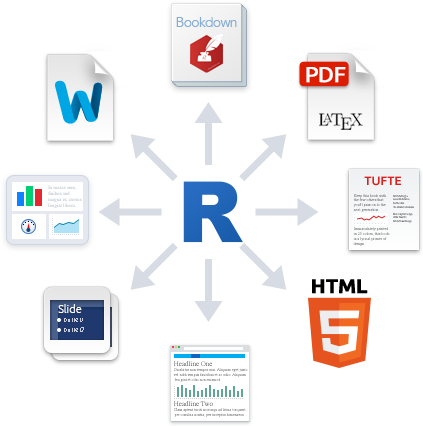
Moving Between Formats Straightforward

HTML Document

datascience.qmd

title: "Data Science"
format: html

Presentation Slides

datascience.qmd

title: "Data Science"
format: revealjs

Website

_quarto.yml

project:
  type: website

website: 
  navbar: 
    left:
      - datascience.qmd

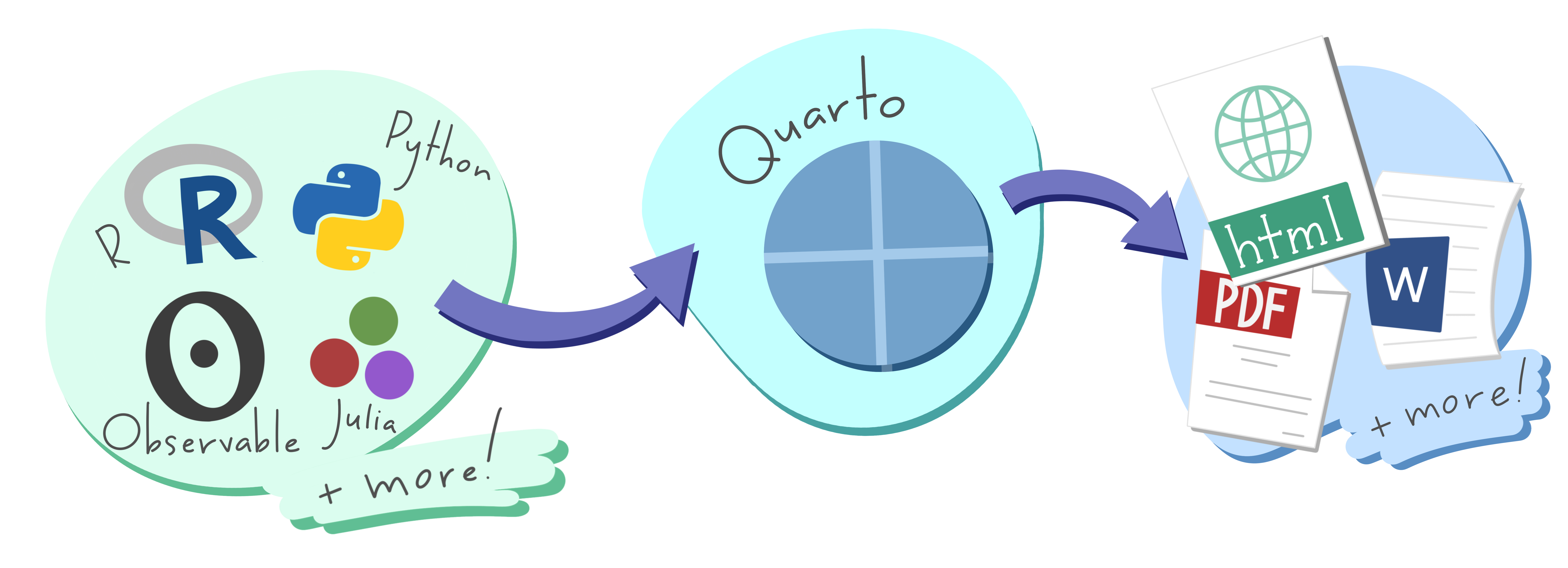
Why Quarto1 – Integrate Multiple Languages
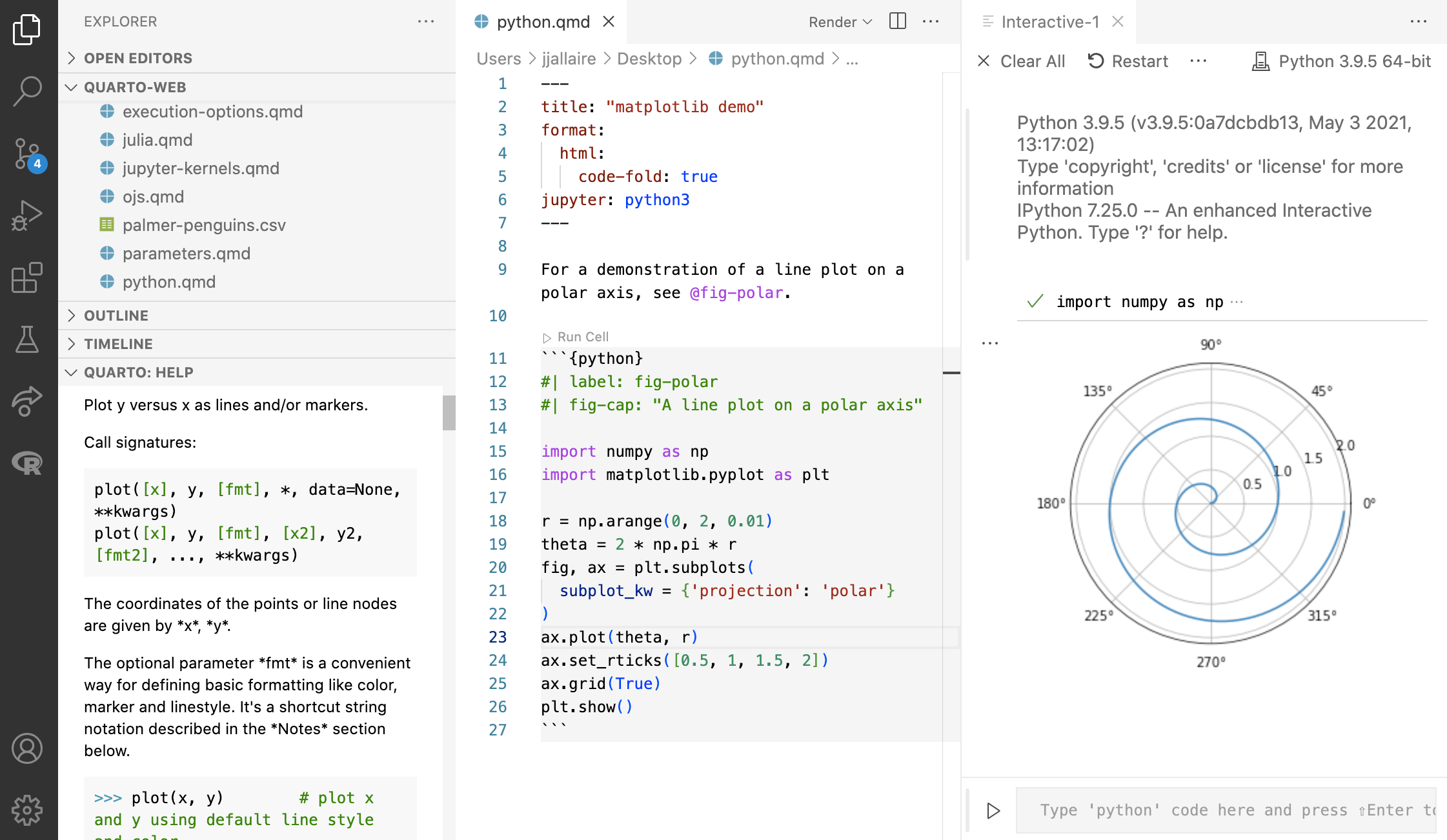
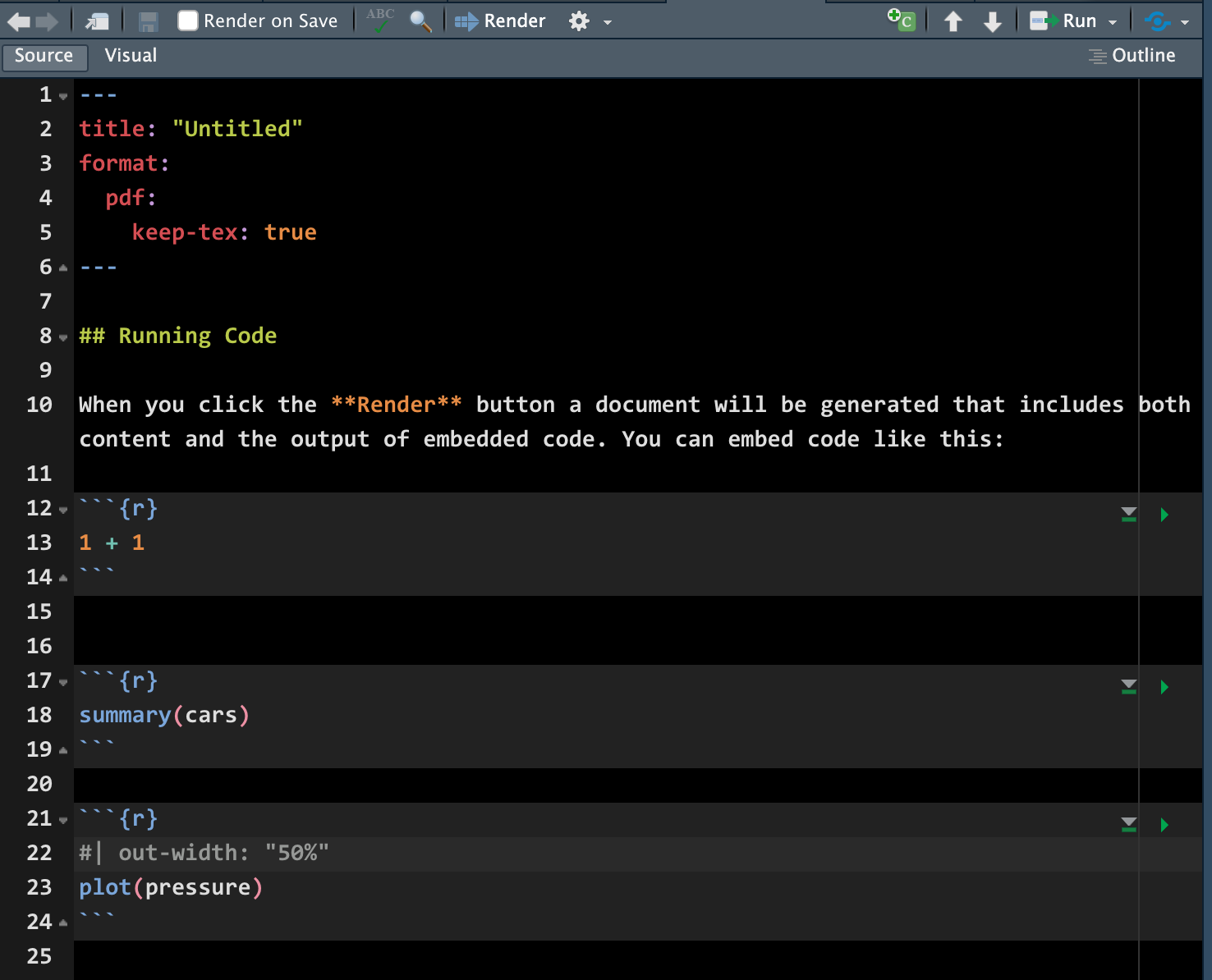
Why Quarto – Comfort of Your Own Workspace
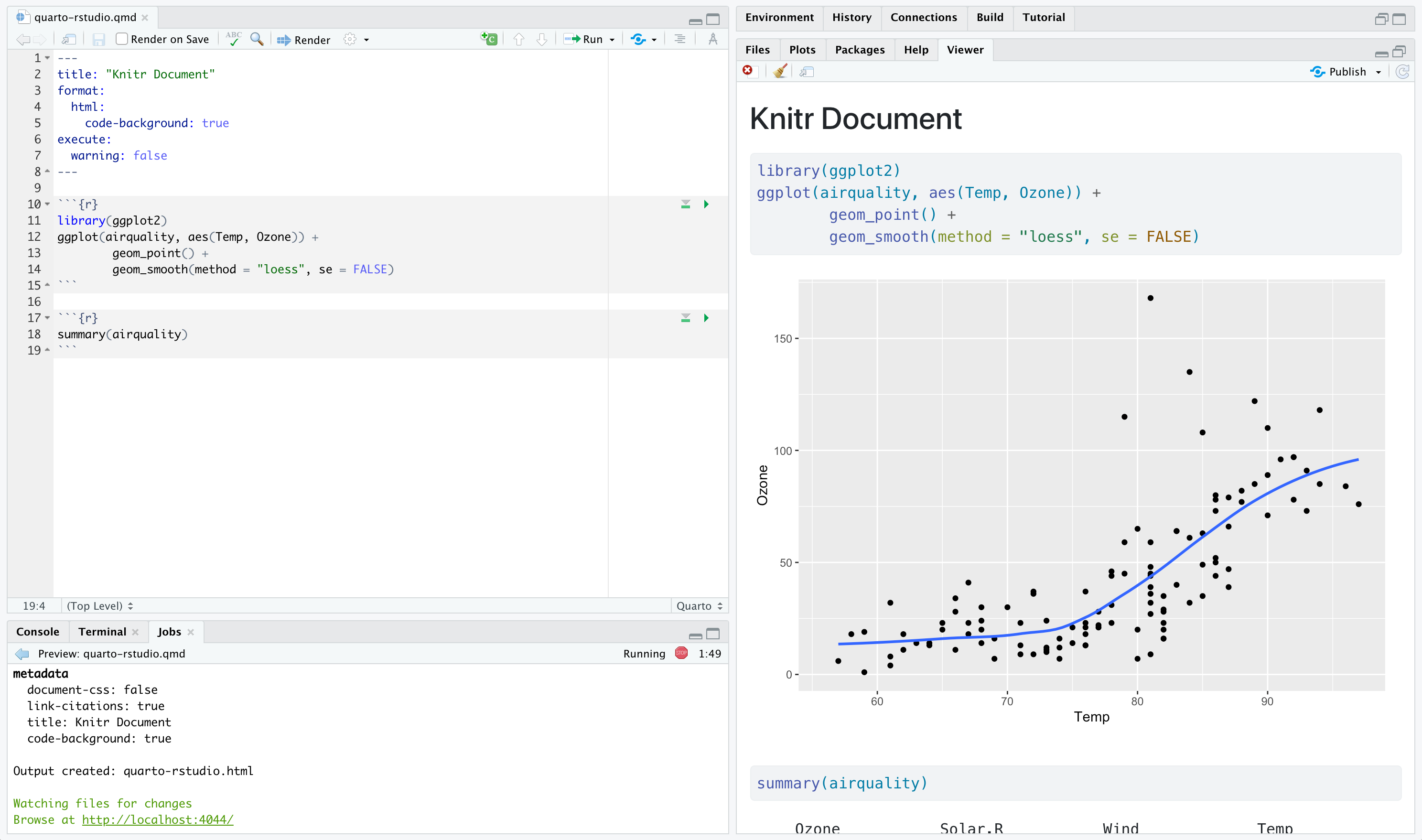
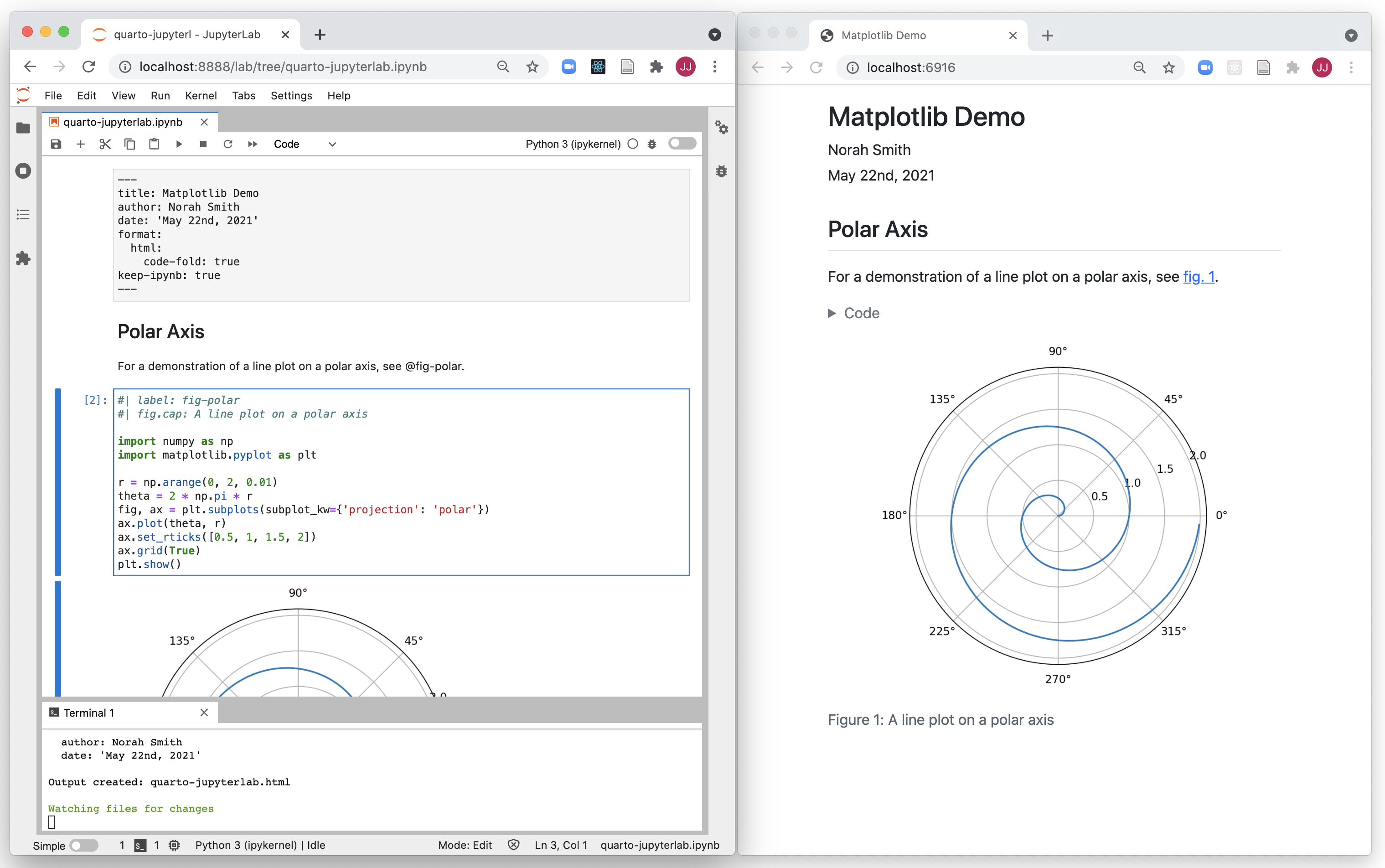
A screenshot of a Quarto document rendered inside RStudio

A screenshot of a Quarto document rendered inside JupyterLab

A screenshot of a Quarto document rendered inside VSCode

Why Quarto – Simple Markdown Syntax for Text

To generate a PDF report, you prefer writing this with 24 lines…
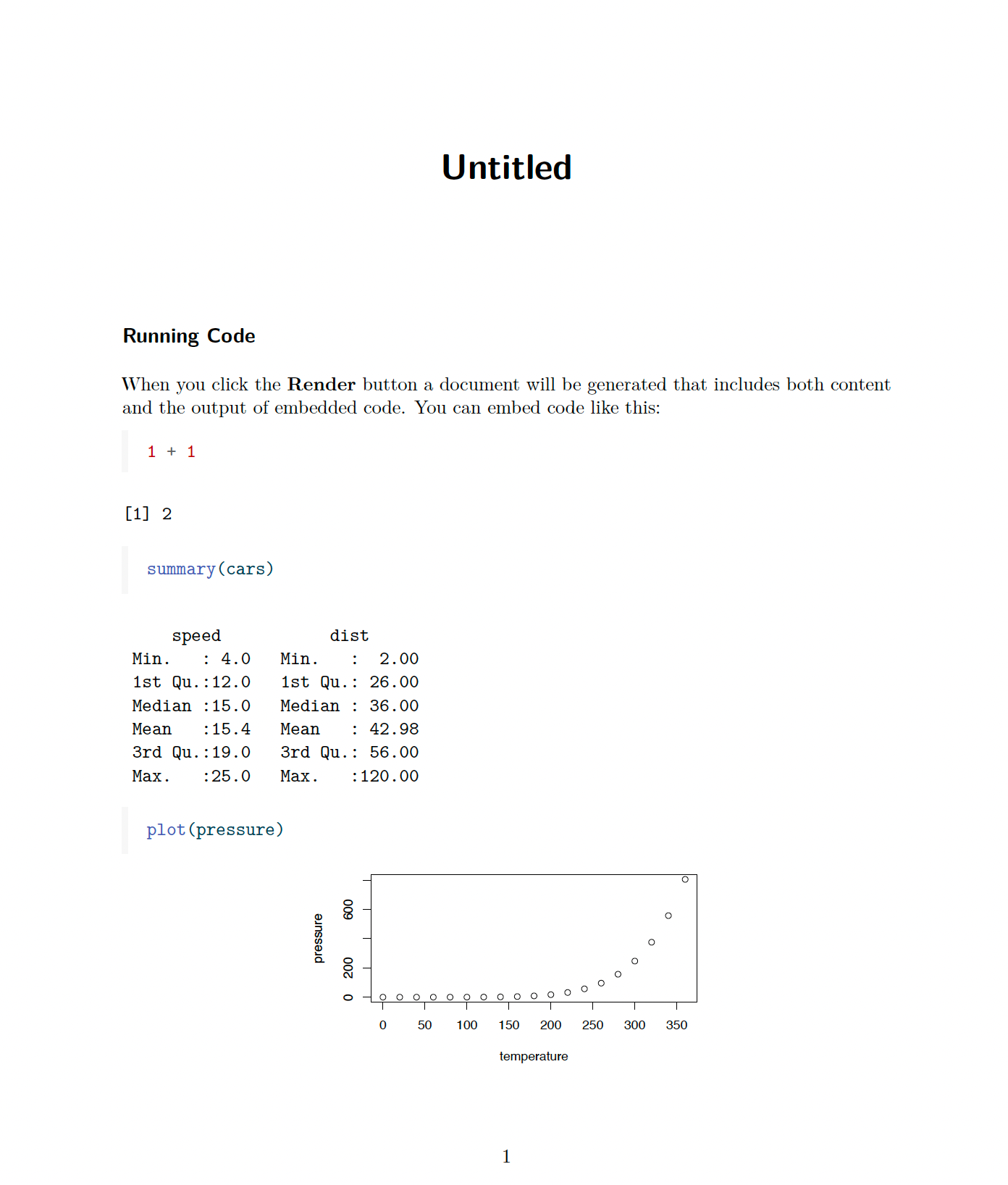
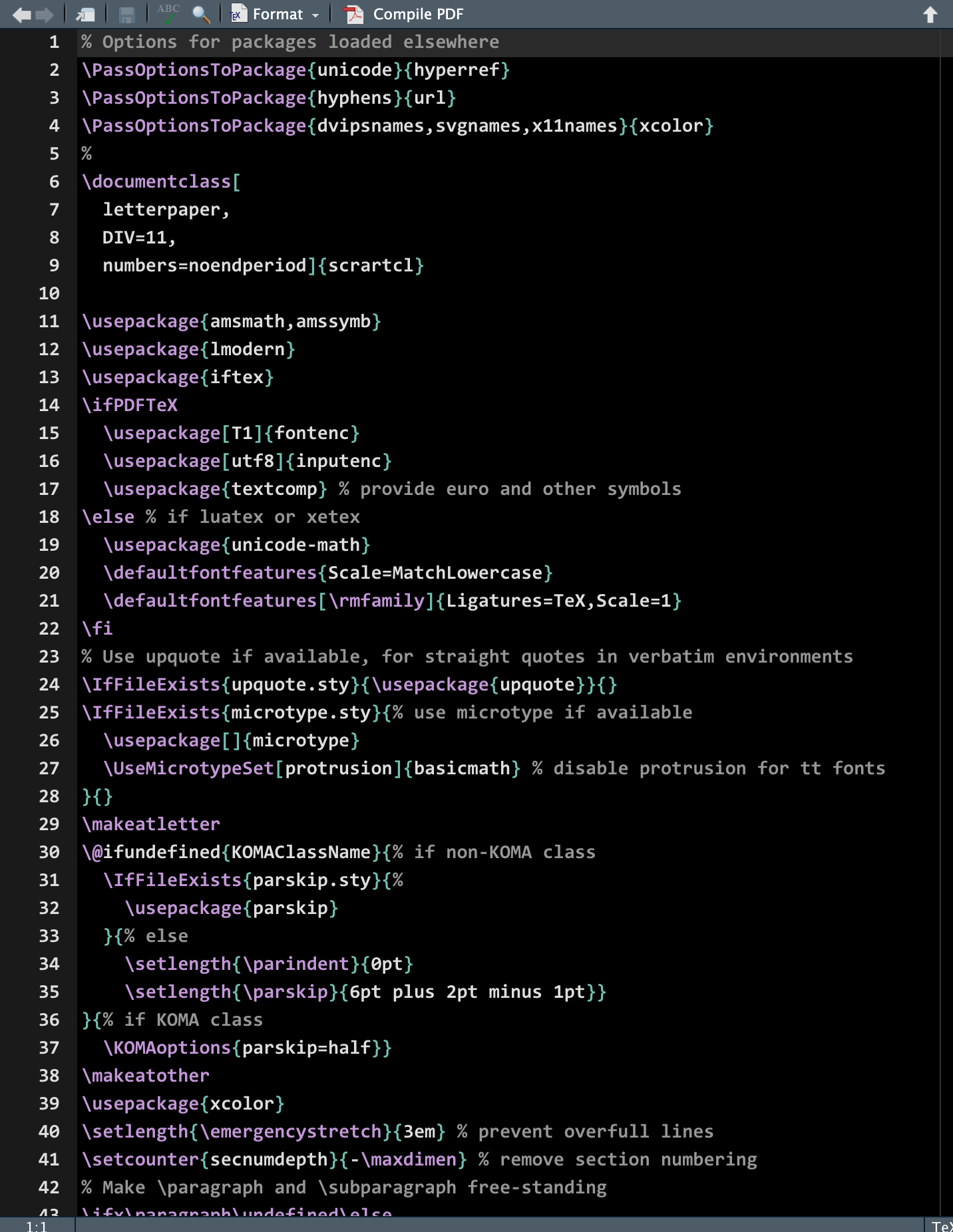
Why Quarto – Simple Markdown Syntax for Text

Or this with 250 lines!?
Markdown


Quarto file = plain text file with extension .qmd

---
title: "ggplot2 demo"
date: "1/22/2026"
format: html
---

## Cars
There is a relationship between *miles per gallon* and *displacement*.

```{r}
mpg |> ggplot(aes(x = displ, y = hwy)) + 
  geom_point()
```

YAML Header (“YAML Ain’t Markup Language”)

---
key: value
---

Markdown Text

Code Chunk

```{r}
## code right here
```

02-Quarto File

  • Go to your GitHub repo lab-yourusername. Clone it to your Posit Cloud as a project in 2026-spring-math-3570 workspace.

  • Open the file lab.qmd.

  • Change author in YAML.

  • Click on or Ctrl/Cmd + Shift + K to produce a HTML document.

  • How can we show the current date every time we compile the file? [Hint:] Check your hw01. Compile your document and make sure the date shows up.

  • How do we fold the code so that the document is shorter? Describe it in ## Lab 2: Quarto

  • Once done, commit with message “02-quarto” and push it to GitHub.

Text Formatting

Markdown Syntax Output
*italics* and **bold**
italics and bold
superscript^2^ / subscript~2~
superscript2 / subscript2
~~strikethrough~~
strikethrough
`verbatim code`
verbatim code
> here is the quote

here is the quote

Headings

Markdown Syntax Output
# Header 1

Header 1

## Header 2

Header 2

### Header 3

Header 3

#### Header 4

Header 4

##### Header 5
Header 5
###### Header 6
Header 6

Lists

Markdown Syntax Output
* unordered list
    + sub-item 1
    + sub-item 2
        - sub-sub-item 1
  • unordered list

    • sub-item 1

    • sub-item 2

      • sub-sub-item 1
*   item 2
    <new line>
    Continued (indent 4 spaces)
  • item 2

    Continued (indent 4 spaces)

1. ordered list
2. item 2
    i) sub-item 1
         A.  sub-sub-item 1
  1. ordered list

  2. item 2

    1. sub-item 1

      1. sub-sub-item 1

Tables

| Right | Left | Default | Center |
|------:|:-----|---------|:------:|
|   12  |  12  |    12   |    12  |
|  123  |  123 |   123   |   123  |
|    1  |    1 |     1   |     1  |
Right Left Default Center
12 12 12 12
123 123 123 123
1 1 1 1

Source vs. Visual Mode

Source Mode

Visual Mode (What You See Is What You Mean (WYSIWYM))

03-Markdown

Back to your lab.qmd. In ## Lab 3: Markdown section,

  • Add a self-introduction paragraph containing a header, bold and italic text.

  • Add another paragraph that contains

    • listed items
    • a hyperlink
    • a blockquote
  • Once done, commit with message “03-markdown” and push it to GitHub.

Code

Anatomy of a Code Chunk

```{r}
#| label: car-stuff
#| eval: false
mtcars |> 
  distinct(cyl)
```


```{python}
#| label: string
#| eval: false
x = 'hello, python world!'
print(x.split(' '))
```
  • Has 3x backticks ``` on each end

  • To insert a code chunk,

  • Alt + Ctrl + I (Win) ; Option + Cmd + I (Mac)

  • Indicate engine r, python between curly braces { }

  • Place options behind the #| (hashpipe): #| option: value

  • Tools > Modify Keyboard Shortcuts > Filter… > Insert Chunk Python > Option + Cmd + P (or any key binding you like)

Option echo and eval

  • By default, the code in the code chunk will be shown in the rendered document and evaluated, and the output will be printed as well.

    ```{python}
    #| echo: true
    #| eval: true
    pet = ['dog', 'cat', 'cat']; pet.count('cat')
    ```
pet = ['dog', 'cat', 'cat']; pet.count('cat')
2
  • echo: false would instead hide the code but still evaluate it.

    ```{python}
    #| echo: false
    pet = ['dog', 'cat', 'cat']; pet.count('cat')
    ```
2

What should we do if we want to show the code but not evaluate it?

Chunk Options

  • The following table summarises which types of output each option suppresses
Option Run code Show code Output Plots Messages Warnings
eval: false
include: false
echo: false
results: "hide"
fig-show: "hide"
message: false
warning: false

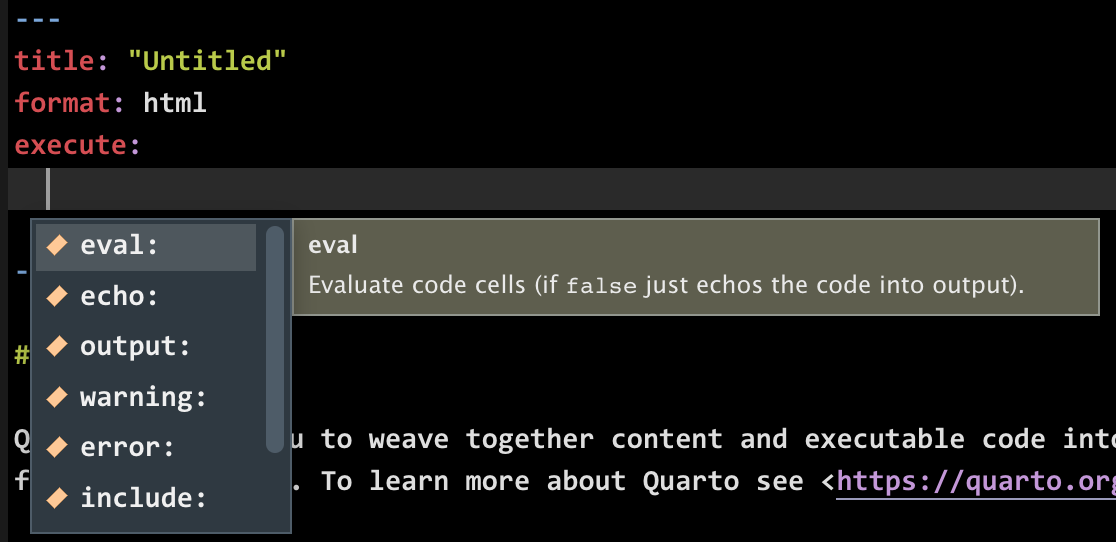
Global Options: execute

  • Should be specified within the execute key.
---
execute: 
  echo: false
  eval: false
---

Warning

Be careful about global options in our lab.qmd!

Figures w/ code

```{r}
#| out-width: 40%
#| fig-align: right

knitr::include_graphics("images/05-quarto/maru1.jpg")
```

Including Plots

  • Many chunk options for figures and images start with fig-, for example fig-width, fig-height, fig-show, etc.


```{r}
#| eval: false
#| fig-cap: "Fig. 1: Car stuff"

plot(x = cars$speed, y = cars$dist)
```
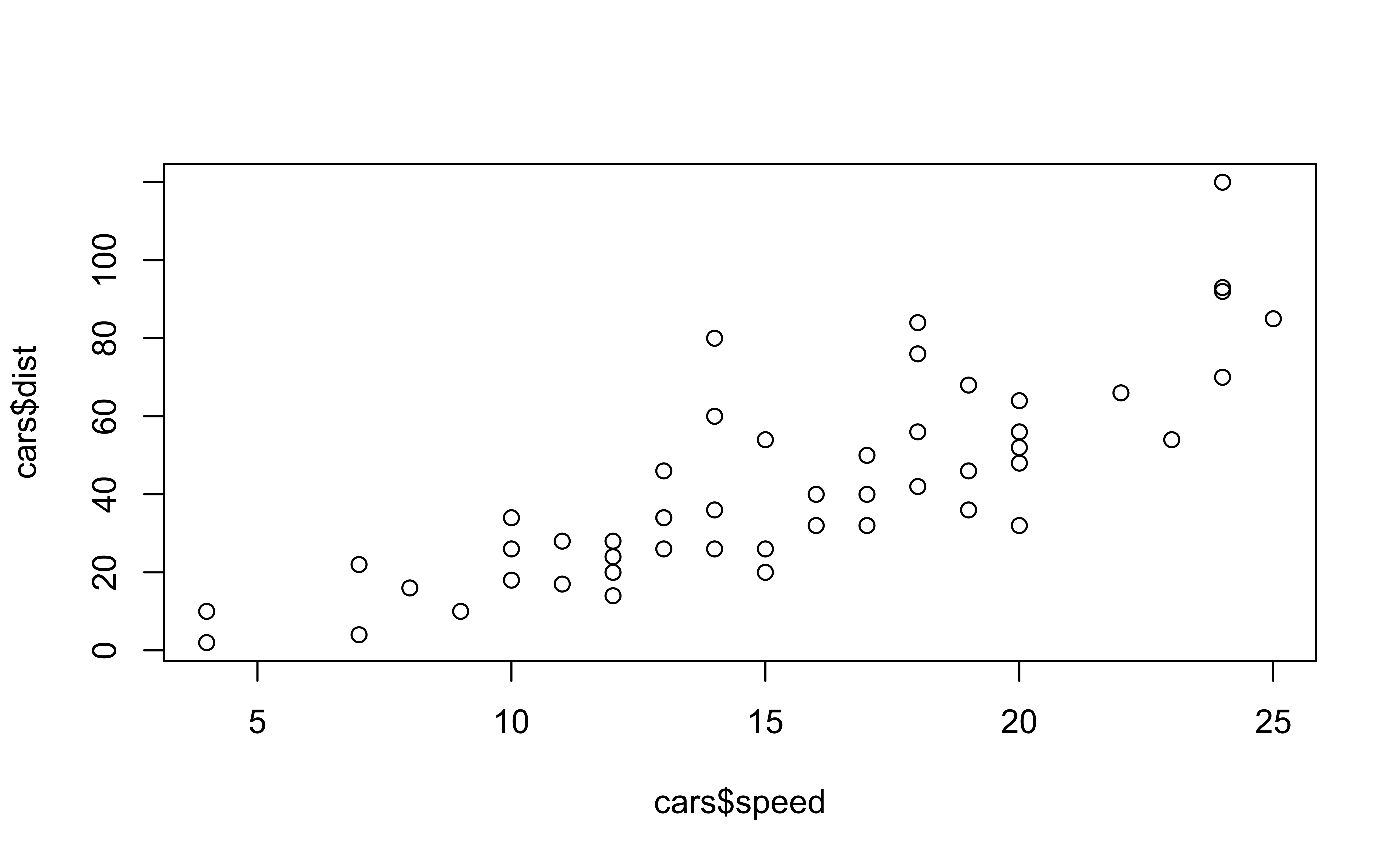
Fig. 1: Car stuff

Inline Code

  • Inside your text you can include code with the syntax `r your-r-code`.

  • For example, `r 4 + 5` would output 9 in your text.

head(cars)
  speed dist
1     4    2
2     4   10
3     7    4
4     7   22
5     8   16
6     9   10
num_cars <- nrow(cars)

Code in Quarto

There are `r num_cars` rows in the cars dataset. Four plus five is `r 4 + 5`

Output

There are 50 rows in the cars dataset. Four plus five is 9

04-Code Chunk

In lab.qmd ## Lab 4: Code Chunk, use code chunks to

  • Include an image https://shorturl.at/IJy1v using knitr::include_graphics("URL or file path")

  • Include a plot plot(mtcars$disp, mtcars$mpg)

    • Add option fig-height: 4, fig-width: 6 and fig-align: right to the chunk for your plot. What are the changes?
  • Once done, commit with message “04-codechunk” and push your work to GitHub.

04-Code Chunk

> How do we collapse the code by default in a Quarto HTML document, and show them when needed?

> We have a data set mtcars. How do we show the data set as a good-looking table using R in Quarto?

> I want to use the 2-column format in my Quarto. Teach me with a short example.


  • Share what you learned from AI!~

Quarto Skills to the Next Level